So, someone gave you some Wolfram Language Code?
To get to the point or TL;DR: GOTO 10
Now, I've been using Mathematica and the Wolfram Language for a long time
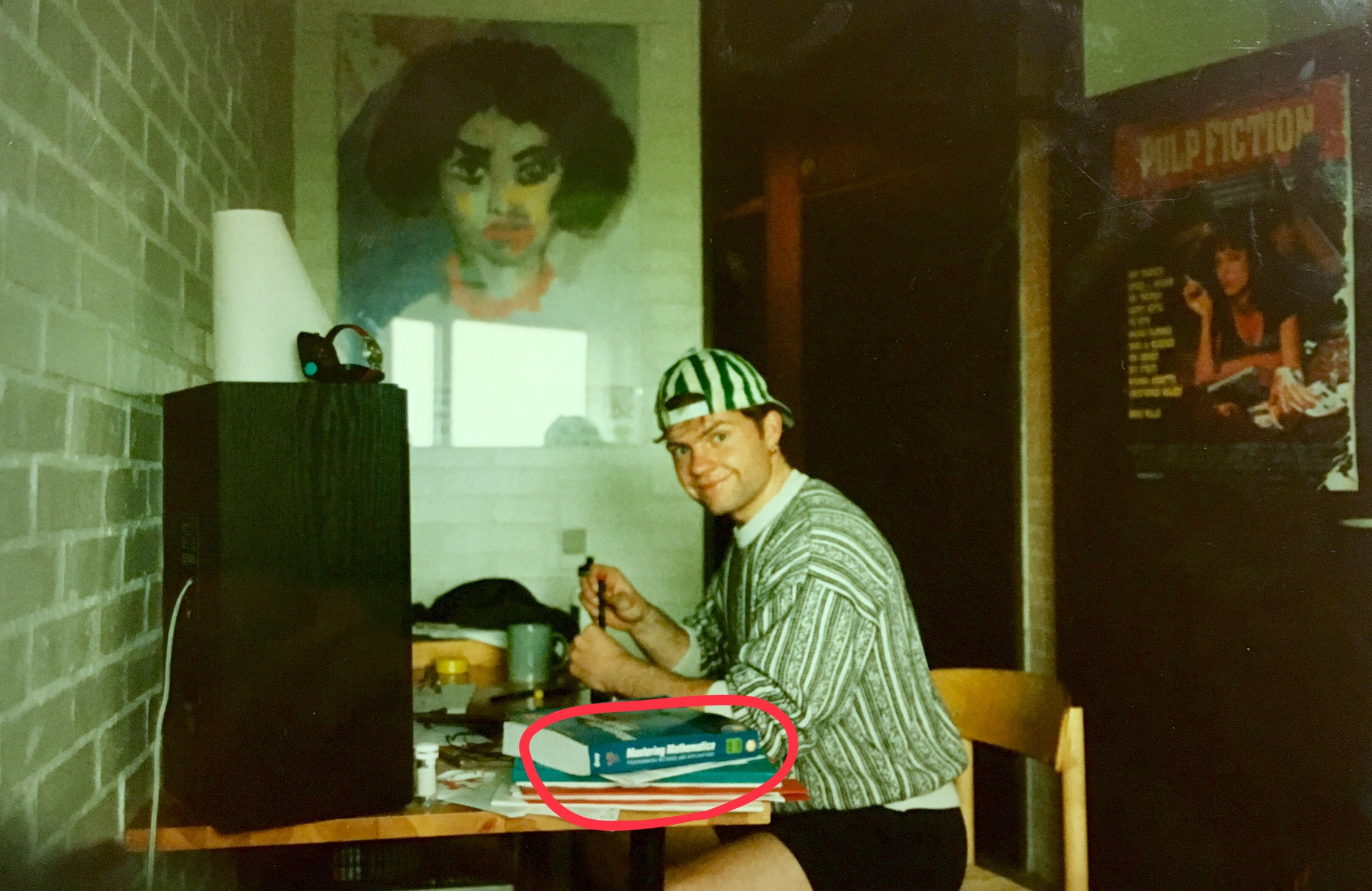
and I intend to keep on using it for a very long time.
But people around me don't use Wolfram Language. They use Perl, Tcl, Python, R, JavaScript, and more, so why don't I also do that? That's a long story, and I love telling stories, but as said above GOTO 10
The early years
In the early months of 1993, I saw Mathematica running on a Macintosh SE in the office of a postgraduate researcher and teacher at the NMR Center at Aarhus University, and I was immediately sold on it.
For a while before that glimpse of the future, I'd been interested in using the computer for doing math and physics without having to be bound by the binary registers, limited integers, and weird floats. At the beginning of my postgraduate studies, I'd been studying and using scientific computing and FORTRAN, but I wanted more abstraction on top of the machine. I'd seen MathCAD (maybe I had a copy of version 2.5 on my DOS laptop...), and I'd heard of Maple, but that view of Mathematica impressed me beyond everything, and I wanted to use it.
When it came to working on my master's thesis, which was in solid-state nuclear magnetic resonance at that same NMR Center, part of that work required me to solve the Schrödinger equation for small spin systems using numerical linear algebra. That is basically a lot of heavy numerical computations programmed in Fortran or C code. To reduce the number of expensive numerical computations, I wanted to calculate as many as possible of the involved matrix multiplications symbolically and then convert those results into C code. Well, hello Mathematica, I need you now!
Okay, so to be able to run Mathematica, I also needed a new laptop. Up until then, I had used a Sharp PC-6220 (1 MB RAM, 20 MB HD, 12 MHz Intel 80286 CPU) running DOS, but that machine had no chance of ever running Mathematica. It was a great machine, though, and as a small side story, I have very fond memories of using Micro Emacs a.k.a. uemacs on it as a replacement for real Emacs, which I used at the university. uemacs is now an old almost forgotten relic with maybe just one user: Linus Torvalds (Torvalds, 2018 and 2026)
Anyway, I ended up buying an IBM ThinkPad, but contrary to what I was promised at the store, it could not handle Mathematica's need for more than 4MB in one address space. So, I wanted to return it and get the money back for buying something non-IBM and non-Microsoft-based. Unfortunately, the store did not agree with that. They would only accept the return if I bought something else in the store – which did not have anything that met my requirement – so I was in something of a predicament. What’s one to do in such a situation? Well, the store was part of a national chain of electronics and computer stores, so I wrote to the main national IBM office, described the situation, and asked them whether they condoned their resellers providing that kind of garbage service to poor students. A few days later, I got a call from the chain store manager and got my money back!
I then did some more research and found a Macintosh PowerBook 160 with 8MB RAM, 120 MB HD and a 25 MHz 68030 Motorola CPU that could run Mathematica thereby kicking off 33+ years of Apple fandom.
I finished my thesis, graduated from university with a master’s degree, but I didn't stop using Mathematica, as it was and still is a superb platform for exploring computation, math, and physics—a kind of interactive encyclopedia! Back then, though, I didn't think of it as a general computing environment and alternative to scripting languages. So, Perl, awk, and Tcl still filled that space, and C, C++, and later Java for “real” programming.
The years in-between
When I left university, Mathematica was in version 3. I think I somehow kept playing with the program up till version 5, but then my interest went elsewhere, and versions 6 and 7 happened without me noticing, as I apparently didn’t think much about math and physics and abstract computing in those years. Then with version 8 in 2009, I gave myself the gift of a Home Edition license and haven't looked back since. I kept upgrading the program, following Stephen Wolfram’s version announcement and prolific writings at Stephen Wolfram Writings and enjoying Wolfram Alpha, Wolfram Data Repository, etc.
During those years, I made a very solemn promise to myself that I would always, if possible, permit myself to spend the money on a Mathematica license. This promise means that I don't have to worry about losing access to either my code nor my knowledge.
The present
At the end of 2021 I got an opportunity to go back to my university, this time as an employee (my CV), which is relevant for this story, as Aarhus University provides an academic license for Mathematica for its employees. Also, an academic license does not have an upper bound of four parallel kernels, so I can run as many kernels in parallel as I have CPUs – which is a lot in my newest Mac!
Still, given my long story with computers, computer languages, and computation (remember, I mentioned Perl, Tcl, Python, Bash above?), why don’t I do as most of my colleagues and use e.g., Python or R for data stuff and scripts? Why don’t I use some Open-Source platform instead of having to make a pledge to my future self?
I did use R a lot a decade ago, but never as one language. I still needed something more for all the other stuff I direct a computer to do. Also, somehow, the Python train left the platform when I was looking somewhere else, and even though I've tried many times, I just can't seem to board that train.
Also, Mathematica comes with all batteries 🔋 included; Wolfram Language is ONE INSTALLATION! No pip install X or npm install Y for ordinary functionality or extensions. There is no breaking of dependencies, no surprise dependency on a C compiler hidden deep in a library, no dependency hell, which I've visited too many times on other platforms...
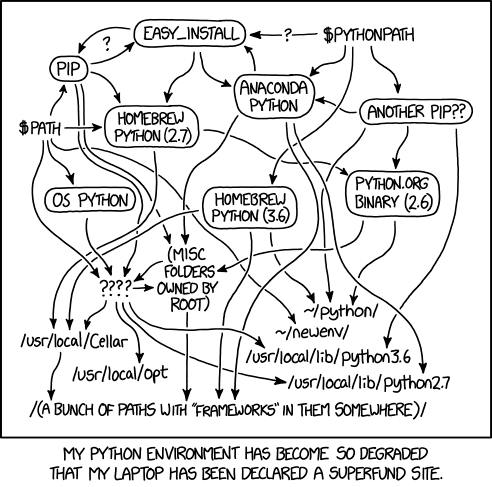
Of course, it is hard to compete with 30 years of experience, and I just move so much faster in Mathematica than in any other language. Still, while–almost–everything can be done in Mathematica, it’s not always in the most efficient way (see Having fun with large integers and prime numbers and Re-learning something about scientific computing).
But there’s no such thing as a free lunch…
Two of the direst challenges with Mathematica are its status as proprietary and commercial software, and that it is a problem to share stuff besides as lines of code (see “So, someone gave …”).
The former has been addressed by Jon McLoone from Wolfram Research in at least two pieces (McLoone 2021 and 2019), and I think he has some quite fair points. One important one is his point 2. You Can View the Source Code where he shows that almost all the code implementing the Mathematica system is explorable – you can go on very deep spelunking expeditions!
The latter problem about sharing is a bit more problematic. If you want to stay within the Wolfram ecosystem, it’s VERY easy. Push a button, and your notebook will be published in the Wolfram Cloud under your permission scheme, including all the dynamic parts, click to copy, etc. What I would like, though, is to have a full “Export as HTML” so I easily can publish my work or notebook on my own website. Maybe it’ll come in some future version, as they just published full export to Markdown—or maybe it's time to look into a homemade solution based on that new export format?
As another aside, I’ve been experimenting a lot with LLM supported programming and of course Mathematica has full support for this, but to vibe code a cool little tool in JavaScript + CSS + HTML and then share it as one file for everyone on the planet to run out of the box sets a very high bar for sharing computational work.
10: Just show me how to run the code!
Okay, the easiest method is, of course, to just buy a license at Wolfram Research Inc., but that's not my option for you today.
Instead, I suggest you get the command line Wolfram Engine for free, ready to run on your Windows computer, your Mac, or even your Linux box. You do need to register and create a so-called Wolfram ID, but then you have the complete run time from Wolfram Research, including all libraries etc. If you buy a Raspberry Pi, it comes preinstalled with the complete Wolfram system!
While the Wolfram Engine contains the complete Wolfram Language runtime rather than a subset, the graphical Wolfram Notebook is unfortunately not part of the free version (except on the Raspberry Pi). Instead, use JupyterLab with the Wolfram Language kernel for Jupyter notebooks developed and published by Wolfram Research themselves. Another solution is WLJS Notebook, an open-source notebook interface created especially for the Wolfram Language. It even comes as an app and is quite nice, though, but still young and somewhat rough around the edges.
So, with Wolfram Engine installed you can do stuff like
$ wolframscript -code 'Classify["Sentiment","The Wolfram Engine is really cool!"]'
Loading Initialization Data...
Positive
or create this plot of the solar eclipse over Egypt in 2027 (yes, I would like a trip to Luxor in a year!)
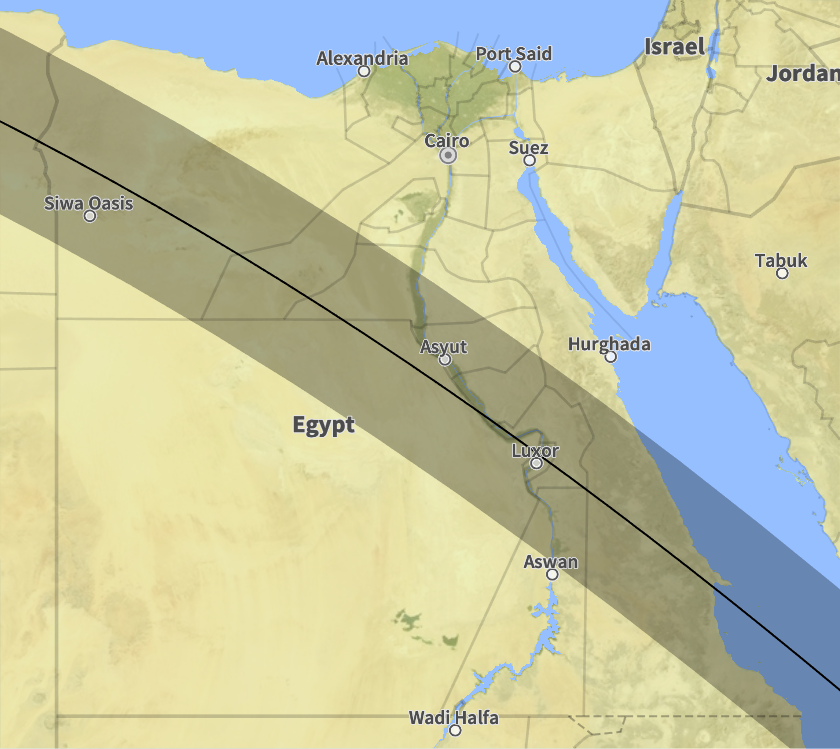
using just the following code
eclipse = SolarEclipse[DateObject[{2027, 8, 2}, "Day"]];

Export["eclipse-2027.png",GeoGraphics[{
    SolarEclipse[eclipse, "ShadowAxisLine"],
    SolarEclipse[eclipse, "UmbraEnvelopePolygon"]
   },
  GeoRange -> Entity["Country", "Egypt"]
]]
stored in eclipse-2027.wls and executed as
$ wolframscript -file eclipse-2027.wls
you will get a PNG with the above plot.
Voilà, you can now run the code someone gave you 😉
To use Wolfram Language as a general platform for everyday tools, replacing the need for Perl, Tcl, Python, Bash, etc., see Quickly, run a Wolfram script.
References