Clear-Text Footnotes
In my work, I communicate a lot in writing, and a lot of that writing requires me to use references and URLs. In plain texts like e-mail, Slack messages, Teams messages etc, this can be rather detrimental to the readability, so for a while I’ve been using a footnote syntax taken from “markdown”, where I manually put [^1] into the text and add “[^1]: footnote text” to the end of the text. I’ve used this for a couple of years and though I haven’t gotten any complaints, I haven’t been happy with the solution. It’s ugly, it’s irritating when editing the text and adding new footnotes in the middle, and it requires the reader to do some unfamiliar parsing. And yes, although Markdown has become ubiquitous in data science, software development, and writing for the web, I still have many colleagues who have probably never encountered it. So [^1] looks strange.
I then started using the more common asterisk as footnote marker as in “<word>*” but that quickly became a problem when I needed more than one note in the same text. I tried to find additional symbols, but no great solution popped up, as there isn’t that many good candidates that doesn’t already have a meaning.
Then an epiphany occurred! What about just using the UTF-8 superscript numbers? <word>¹, <word>² etc and a footer like
1) <…>
2) <…>
Everybody knows what that means.
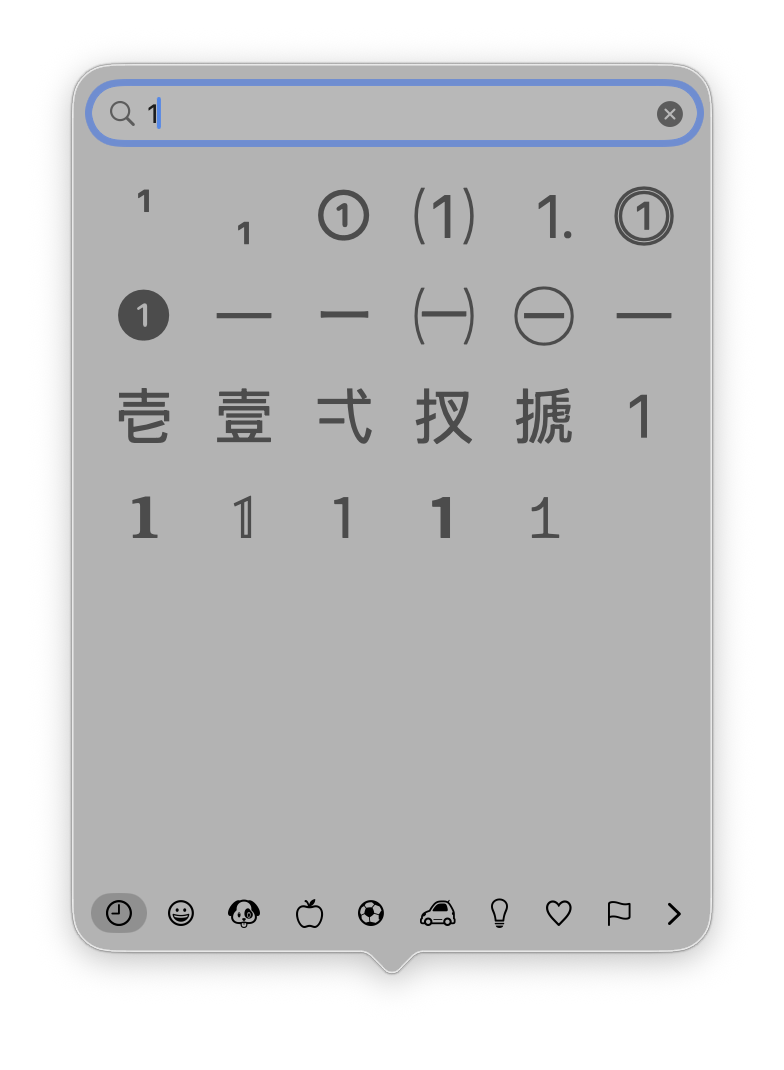
Alas, I started using it, but didn’t take more than a week before the constant search for the UTF-8 superscripts in the macOS emoji finder became a nuisance.
Okay, so another daily driver for my workflow is:
- Copy some text
- Change to the Terminal app (which is always open)
- Run
pbpaste | sed ‘s/…/…/’|pbcopyto transform the text. - Back to Word, Outlook, whatever and paste the transformed text.
This might look rather tedious, but my oh my, it works and feels great 😃 Therefore, I considered writing a small script, that could help me in creating the UTF-8 footnotes using that pbpaste | … | pbcopy method.
Enter the Pi agentic coding harness and

14,000 lines of code and specifications later, I now have a computer language and execution agnostic specification of such a tool:
And I’ve created working implementations of that specification for
- a command line tool in Go which can be used in a pbpaste … pbcopy pipe,
- a JavaScript and HTML tool webpage for everybody, which you can try out here,
- a Wolfram Language package just because it could be fun and I wanted to try more implementations of the specification.
I also considered an Emacs package and something that makes it even easier to use on macOS, e.g., a Shortcut or a regular AppleScript for use in FastScripts or the macOS Service menu, but that will have to wait for another day.
How to use the tool
While the specification is quite elaborate, the idea is quite simple.
You write a text marking all your notes with ƒ(<note>), run the tool and get ƒ(<text>) converted to an inline automatically numbered UTF-8 superscript and the footnote text added to the bottom of the text.
An example of the source text could be
When I was a child ƒ(born in 1968), I loved sci-fi and the first tv-show,
that I remember, is Space: 1999 ƒ(https://en.wikipedia.org/wiki/Space:_1999),
that aired on the Danish National Broadcast Service ƒ(DR, https://dr.dk,
and https://lex.dk/DR).
Run this through e.g., the Go CLI tool, you’ll get
When I was a child¹, I loved sci-fi and the first tv-show, that I
remember, is Space: 1999², that aired on the Danish National Broadcast
Service³.
---
1) born in 1968
2) https://en.wikipedia.org/wiki/Space:_1999
3) DR, https://dr.dk, and https://lex.dk/DR
The specification and all the implemented tools also support adding new footnotes to an already rendered version and it can un-render, i.e., go from the form with superscripts back to the form with ƒ(…).
How I made this
The specification is public available as Clear-Text Footnotes at GitHub, from where it can be used to create implementations in a preferred language or target system.
The specification is yet again the result of a grill me session in Pi, which is a method I've become quite a fan of. I was asked and had to reflect and decide on circa 20 questions, some of them quite good and not ones I would have thought about myself – before an error bit me.
When the specification was done, I oversaw the implementation of the three aforementioned tools as a combination of the specification and some tool or computer language specific details.
As an example, here is the prompt for the HTML + JS version. As you can see, I also based this implementation on the Go implementation, which was the first implementation for which I went through another implementation specific grill-me session. So, in my little setup here, the Go implementation became the reference implementation.
Prompt for the HTML and JavaScript implementation
This project will create a HTML + Javascript implementation of the
specification of a simple footnote rendere from
https://github.com/perdalum/footnotes.
Also read the implementation specification of a Go CLI tool at
https://github.com/perdalum/footnotes-go/,
especially the README at
https://github.com/perdalum/footnotes-go/blob/main/README.md
and the CONTEXT.md at
https://github.com/perdalum/footnotes-go/blob/main/CONTEXT.md
This should present a simple HTML page with an input field accepting
text. There should be two buttons: Render and Reverse. Pressing the
Render button will run the transformation (equivalent to the
footnote render command in the Go implementation. Pressing the
Reverse button will do the oposite as footnote reverse including
accepting mixed content. Use all the implementation decisions from
the Go implementation and only ask if any HTML/JS specific questions
remain
You can do it! Create the HTML+JS tool!
Future Work
- Implement an Emacs package
- Implement a "real" macOS system with keyboard shortcut. Maybe I'll just do that by integrating the Go tool with some GUI stuff.
- and as always: inspect the code to learn about best practise and how LLMs code.